Views: 0 Author: Site Editor Publish Time: 2026-02-22 Origin: Site


If you’ve ever tried to inspect something you can’t directly see—inside a pipe, behind a wall panel, inside a machine housing, or deep in an engine bay—you already understand why the industrial endoscope camera has become an essential tool across modern maintenance and quality inspection. An endoscope camera module turns impossible-to-see spaces into clear visual information, helping technicians find faults faster, reduce disassembly, and make better decisions with less downtime.
From our experience at Guangzhou Sincere Information Technology Co., Ltd., many users buy an industrial endoscope camera module expecting it to work like a phone camera: turn it on, point, and view. But industrial inspection is different. Tight spaces, reflective metal surfaces, oil and dust, poor lighting, and long cable routing can all affect image quality. The best results come from using a simple process—choosing the right probe, setting up lighting correctly, stabilizing the camera, and capturing images that actually support a maintenance decision.
In this guide, we’ll explain how to use an endoscope camera module step-by-step, cover common inspection scenarios, share practical tips to improve clarity, and include a quick reference table for settings and troubleshooting. Whether you’re inspecting industrial equipment, automotive parts, HVAC systems, electronics enclosures, or manufacturing assemblies, these methods will help you get more value from your inspection tool.
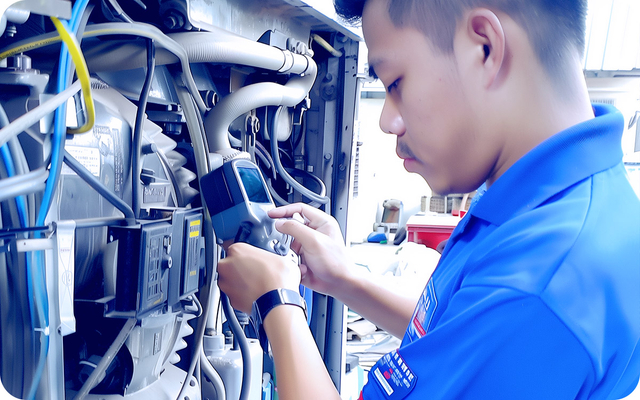
An endoscope camera module is the core imaging unit used in an industrial endoscope system. It typically includes:
a small camera sensor at the tip
built-in LED lighting around the lens
a flexible or semi-rigid cable (probe)
signal output to a display device (handheld screen, PC, tablet, or system controller)
sometimes articulation (steering) for viewing around corners
In industrial use, the goal is not just to “see something.” The goal is to capture a clear view that supports real decisions: is there a crack, blockage, corrosion, loose connection, wear mark, or foreign object? That requires consistent technique.
Before you power on, confirm the basics:
Probe diameter: must fit the inspection path (hole, tube, gap)
Probe length: long enough to reach the target without strain
Viewing angle: forward-view vs side-view depending on what you need to see
Flexibility: flexible for curves, semi-rigid for pushing straight lines
Environment rating: consider heat, moisture, oil, dust, and chemicals
If the probe is too large or too stiff, image quality doesn’t matter—you won’t reach the defect.
Small preparations make big differences:
Power down equipment if required by site safety rules
Let hot surfaces cool if temperature may exceed probe limits
Wipe excess oil or debris near the entry point
Confirm the inspection route and avoid sharp edges
If needed, use a guide tube or protective sleeve to prevent cable damage
This protects both your tool and the equipment.
Depending on your system, you may connect:
to a handheld monitor
to a PC or tablet via USB
to an inspection system with capture software
Before entering the inspection path:
verify the live view is stable
confirm the LED light turns on
adjust brightness to avoid glare
set resolution and record mode if you need documentation
Industrial spaces are often reflective or low-light. LED light helps, but too much light creates glare.
Use these lighting tips:
start at medium brightness
reduce brightness when inspecting shiny metal
increase brightness in matte, dusty, or large cavities
move the tip slightly away from surfaces to reduce reflection
avoid pressing the lens directly against the target surface
Good lighting = better contrast = more usable images.
Speed causes blur and lost orientation. Use a controlled approach:
insert slowly and keep the cable as straight as possible
rotate gently to scan walls and edges
pause at key points and stabilize before capturing images
if the probe has articulation, steer with small movements (less is more)
If you meet resistance, do not force it. Withdraw slightly, adjust angle, and re-enter.
In industrial inspection, an image is most useful when it’s traceable. Capture:
a wide “context” image to show location
close-up images of the defect area
short video for moving parts or intermittent issues
note the distance, location marker, or component ID if available
This is the difference between “we saw something” and “we can act on it.”
Inspection situation | Common problem | Best adjustment | Simple technique |
Shiny metal surfaces | glare/white-out | lower LED brightness | angle the tip slightly off-axis |
Tight cavity | blur from movement | stabilize + slower motion | rest the cable against an edge |
Oily lens | foggy image | clean tip frequently | use lint-free wipe, avoid scratching |
Long-distance viewing | low detail | increase brightness + resolution | move closer carefully, use focus control if available |
Dusty environment | haze and particles | medium brightness | avoid stirring dust, enter slowly |
Curved path | loss of direction | gentle rotation | mark cable orientation before insertion |
An industrial endoscope camera module is most valuable when you know exactly what kind of “evidence” you’re trying to capture. Different environments create different failure patterns, so your inspection focus should change depending on the task. In practice, a good endoscope inspection is less about “finding something interesting” and more about confirming a specific risk: blockage, wear, overheating, loose parts, or contamination. Below are four of the most common industrial use cases, along with what to look for and how to capture images that support a clear maintenance decision.
In pipes and ducts, your goal is usually to confirm flow problems or early-stage damage before it turns into a shutdown event. Look for blockages, buildup, corrosion, and any narrowing of the passage caused by scale, sludge, or debris. Pay close attention to weld defects, seam gaps, or joint misalignment, especially near elbows and connection points where vibration and stress are higher. Also check for foreign objects—small fragments can travel downstream and damage valves, impellers, or filters.
Inside gearboxes, pump housings, bearings zones, or machine cavities, look for wear marks that suggest friction, misalignment, or insufficient lubrication. Watch for loose screws, metal fragments, or broken parts, because even small debris can cause secondary damage when it circulates. Inspect edges and corners for cracks, especially near stress points, weld seams, or mounting areas. Discoloration—often brown or blue heat marks—can indicate overheating, abnormal friction, poor lubrication, or restricted airflow.
For engines, inspection is often about combustion health and contamination. Look for carbon buildup that reduces efficiency, check valves and cylinder wall condition for scoring, pitting, or unusual patterns, and note oil residue paths that may indicate leakage, blow-by, or seal issues. Foreign object damage often appears as irregular scratches, impact marks, or chipped edges—these are important to document because they suggest a one-time event that can worsen quickly.
In electrical enclosures and wiring cavities, focus on risk signals: loose connectors, insulation damage, and burnt marks that suggest overheating, poor contact, or overload. Also watch for moisture, corrosion, or contamination, especially around terminals, cable entry points, and junction areas. Even small corrosion or condensation trails can explain intermittent faults.
Learning how to use an endoscope camera module is not complicated, but the difference between “seeing something” and “getting a usable diagnosis” comes down to correct setup and careful technique. Choose the right probe size and length, control lighting to avoid glare, guide the camera slowly, and capture images with both context and detail. When used properly, an industrial endoscope camera helps reduce disassembly, shorten downtime, and improve decision-making with clear visual evidence.
If you’re selecting an industrial endoscope camera module for your inspection workflow—or want guidance on choosing the right probe and configuration—you can learn more from Guangzhou Sincere Information Technology Co., Ltd. Our team is ready to share practical recommendations based on real inspection scenarios.
Adjust LED brightness first, stabilize the probe before capturing, and clean the lens often. Too much light on shiny surfaces is a common cause of poor images.
Yes, but you should confirm the module’s protection rating and clean the lens frequently. Enter slowly to avoid stirring dust and reduce haze.
Choose a length that comfortably reaches the inspection point with some extra margin, but avoid excessive length that makes control harder in tight spaces.
Capture at least one wide “location” image, close-up defect images, and short video if movement or intermittent issues are involved. Label files by component or location for traceability.


