Views: 0 Author: Site Editor Publish Time: 2026-02-27 Origin: Site


Cleaning a medical endoscope camera module is not just about keeping the lens shiny—it’s about protecting image quality, protecting equipment lifespan, and supporting safe clinical workflows. In real use, camera modules face a mix of challenges: fogging, smears from handling, residue from disinfectant wipes, microscopic debris near connectors, and gradual performance loss from repeated cleaning with the wrong materials. Many teams also work under time pressure: the scope is needed again quickly, and “quick wipe” habits can quietly create long-term problems such as micro-scratches, seal damage, or corrosion at the connection points.
At Guangzhou Sincere Information Technology Co., Ltd., we work with customers who use endoscope camera systems in demanding environments—ORs, outpatient clinics, and procedure rooms where reliability matters. In this article, we’ll share a practical, field-friendly approach to cleaning an endoscope camera module, including what to clean, what to avoid, and how to build a simple routine that reduces downtime. Because different brands and models have different materials and sealing designs, always follow the manufacturer’s IFU (Instructions for Use), your facility’s reprocessing protocols, and local regulations. The goal here is to help you understand the logic and the safe workflow—so your team can clean correctly and consistently.
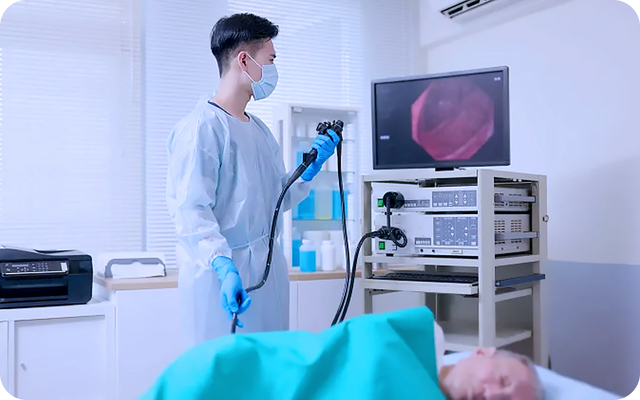
Depending on the system, “endoscope camera module” may refer to one or more of these parts:
Camera head / camera control module (head unit): the body that houses the imaging sensor and electronics
Optical window / lens surface: the front-facing glass or protective window
Coupler / adapter interface: the connection between camera head and scope (sometimes via a coupler)
Cable and connector: includes pins, shielding, and sealing areas
Light guide connection area (on some systems): not always part of the camera module, but often adjacent
Cleaning requirements vary by component. Some parts may be wipe-clean only; others may tolerate low-level disinfection; some are never meant to be immersed. That’s why IFU compliance is essential.
Even when reprocessing of the patient-contact endoscope is handled separately, the camera module still needs careful cleaning for:
Image clarity: smudges, dried residue, and micro-scratches reduce sharpness and color accuracy
Electrical reliability: fluids or residue near connectors can cause signal instability
Seal protection: harsh chemicals can degrade rubber seals and adhesive bonds
Workflow speed: a repeatable routine prevents “mystery fogging” and re-cleaning
Below is a recommended workflow that many facilities adapt to their internal SOPs. Use it as a framework, then align each step with your camera’s IFU.
Work on a clean, dry surface with good lighting
Use clean gloves to prevent fingerprints on optics
Keep liquids away from open connectors
If possible, assign a consistent cleaning station to reduce mistakes
Turn off the system and allow the camera head to cool if warm
Disconnect the camera head carefully (avoid twisting or pulling cables abruptly)
Place protective caps on connectors if your system uses them
Before using any wipe or solution, start with a dry, lint-free optical cloth to remove dust. This reduces the chance of grinding particles into the lens surface.
This is the most sensitive area and also the easiest to damage.
Best practice approach:
Use a lens-safe, lint-free cloth (or manufacturer-approved wipes)
Wipe gently in one direction or in a spiral outward motion
Avoid aggressive rubbing—pressure increases scratch risk
If residue is stubborn, apply cleaning solution to the cloth (not directly onto the lens) unless IFU allows direct application
Use a manufacturer-approved disinfectant wipe or cloth
Pay attention to grip zones (these collect oils and residue)
Avoid pushing moisture into seams, buttons, or joints
Connectors are where many “invisible” problems begin.
Key rules:
Do not allow liquid to pool near the connector
Use minimal moisture and avoid dripping
If IFU allows, wipe around the connector shell; avoid touching pins directly unless instructed
Let everything dry fully before reconnecting
Air-dry fully (or use IFU-approved drying method)
Inspect optics under light: check for streaks, haze, and scratches
Inspect connectors for residue and moisture
Confirm no fibers are left behind
Reconnect, power on, and check:
image sharpness and color
flicker/noise or signal drop
white balance response (if applicable)
focus consistency (if your setup uses couplers/zoom)
Component | What to Do | What to Avoid | Why It Matters |
Lens/optical window | Lint-free cloth, gentle motion, minimal solution | Paper towels, abrasive pads, heavy pressure | Prevents micro-scratches and haze |
Camera head housing | IFU-approved wipe, light moisture | Soaking, spraying directly into seams | Protects seals and electronics |
Cable | Wipe along cable length, avoid stress | Tight bending, pulling, harsh solvents | Prevents internal damage and cracking |
Connector exterior | Minimal-moisture wipe, keep dry | Liquid pooling, touching pins, immersion | Prevents corrosion and signal faults |
If the image remains unclear, the issue may not be “dirt.” Typical causes include:
Residue film from improper wipe material (streaky haze under light)
Micro-scratches causing glare or “softness,” especially in bright scenes
Fogging due to temperature difference or moisture near the optical window
Coupler alignment issues (camera head not seated correctly)
Light source problems causing uneven illumination that looks like blur
Condensation from rapid movement between cold storage and warm room
Symptom | Likely Cause | Practical Check |
Hazy glow / streaks | Residue film | Re-clean with lens-safe cloth, less solution |
Blur only at edges | Coupler alignment | Reseat coupler, check locking mechanism |
Fogging after minutes | Condensation | Allow temperature equalization, verify seals |
Random flicker/noise | Connector moisture/residue | Dry fully, inspect connector area |
A camera module is a precision electronic device. The biggest cleaning risks usually come from the wrong cloth, too much liquid, or too much pressure.
Use dedicated optical cloths (not general towels)
Apply solution to the cloth (not the device) unless IFU says otherwise
Clean gently and consistently—avoid “scrubbing”
Replace cloths frequently to avoid dragging trapped particles
Keep connectors dry and capped when not in use
Train staff with a short SOP and visual checklist near the cleaning station
Stage | Time Needed | Who Often Does It | Goal |
Post-procedure wipe-down | 1–2 min | Nurse/assistant | Remove visible contamination safely |
Detailed lens cleaning | 1–3 min | Technician/staff | Restore clarity, remove residue film |
Connector/cable check | 1–2 min | Technician | Prevent signal failures and corrosion |
Final inspection + functional test | 1–2 min | Technician | Confirm ready for next case |
Even small standardization reduces repeat issues like streaking, fogging complaints, or intermittent video problems.
When facilities choose or upgrade a medical endoscope camera solution, cleaning and durability should be part of the evaluation—not an afterthought. Design details that improve long-term reliability often include:
robust sealing around critical joints
connector designs that reduce exposure risk
abrasion-resistant optical windows
housings that tolerate frequent wipe-down cycles
clear IFU guidance for disinfection compatibility
Cleaning an endoscope camera module is a small task that protects a big show: image clarity, procedural confidence, and equipment lifetime. The safest approach is always to follow the manufacturer’s IFU and your facility’s validated reprocessing protocols, then build a consistent workflow: dry wipe first, gentle lens cleaning with proper materials, careful surface wipe-down, extra caution around connectors, full drying, and a quick functional check. When these steps become routine, you reduce preventable issues like haze, fogging, connector corrosion, and signal instability—while keeping turnaround times practical.
If your team is evaluating medical endoscope camera module options, needs support for imaging stability in high-use settings, or wants product guidance based on real workflow needs, you can learn more through Guangzhou Sincere Information Technology Co., Ltd. and contact our team for technical information and solution recommendations.
Use a lint-free, lens-safe cloth and gentle wiping (one-direction or outward spiral). Avoid paper towels, abrasive pads, and heavy pressure.
In most cases, direct spraying risks fluid entry into seams and connectors. Follow the IFU—many systems recommend applying solution to a cloth instead.
Blur can come from residue film, fogging/condensation, micro-scratches, or coupler alignment issues. Inspect under light and check seating/locking points.
Typically after each use and whenever smudges or residue affect image quality. Facilities often use a quick wipe-down after cases and a more detailed clean as needed.


